
UI CASE STUDY · ANDROID · academic project
UI CASE STUDY · ANDROID ·
design boat ui/ux school
N
N
N
°
°
°
9
9
9
Where every beginning is sacred.
Where every beginning is sacred.
Where every beginning is sacred.


04
04 / TAP SCREENS
Three home dashboards —
one per stage.
Three home dashboards —
one per stage.
Three home dashboards —
one per stage.
The visual centrepiece. Each stage home is the daily landing surface, tuned to where the user
is right now.
The visual centrepiece. Each stage home is the daily landing surface, tuned to where the user
is right now.


01
01
01
Pre-pregnancy home
Pre-pregnancy home
Pre-pregnancy home
Cycle / fertility dashboard. Key element: the
“Chance of Pregnancy” indicator.
02
02
02
Pregnancy home
Pregnancy home
Pregnancy home
Week-by-week dashboard with the
Add-
button
overlay variant.
overlay variant.
03
03
03
Post-natal home
Post-natal home
Post-natal home
Baby-care dashboard + Baby Insights.
SUPPORTING SURFACES


SECTION 05 / APP FLOW
Four flows - One clear path.
Four flows - One clear path.
Four flows - One clear path.
Each flow was designed around three questions: What is the user trying to achieve? Where are they entering from? And what should happen when they’re done? Keeping these principles consistent helped reduce friction while allowing each stage of N°9 to respond to its specific context.
Each flow was designed around three questions: What is the user trying to achieve? Where are they entering from? And what should happen when they’re done? Keeping these principles consistent helped reduce friction while allowing each stage of N°9 to respond to its specific context.
01
01
Add Reminder
Add Reminder
PRE-PREGNANCY
GOAL
GOAL
Save an upcoming doctor’s appointment without interrupting the user's existing journey.
Save an upcoming doctor’s appointment without interrupting the user's existing journey.
FLOW
FLOW
Home → Add → Add Reminder → Configure → Save
Home → Add → Add Reminder → Configure → Save
The flow starts from the user's existing context, consolidates configuration into one focused surface, and keeps completion explicit through a persistent Save action.
The flow starts from the user's existing context, consolidates configuration into one focused surface, and keeps completion explicit through a persistent Save action.
01.
HOME SCREEN
CLICK "+"


02
02
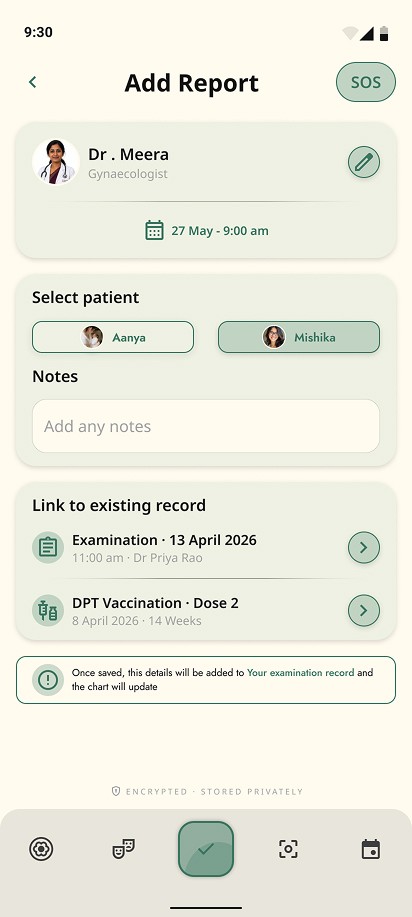
Add Report
Add Report
PREGNANCY
GOAL
GOAL
Capture medical reports without losing the context around them.
Capture medical reports without losing the context around them.
FLOW
FLOW
Home → Add → Add Report → Upload → Add details → Link record → Save
Home → Add → Add Report → Upload → Add details → Link record → Save
The flow separates capture from context, letting users upload first, then add the details that make the report meaningful. Linking it to an existing record keeps related health information connected and easier to revisit.
The flow separates capture from context, letting users upload first, then add the details that make the report meaningful. Linking it to an existing record keeps related health information connected and easier to revisit.
01.
HOME SCREEN
CLICK "+"


03
03
Log Vaccination
Log Vaccination
POST-NATAL
GOAL
GOAL
Record a vaccination once, while keeping the child’s care history up to date.
Record a vaccination once, while keeping the child’s care history up to date.
FLOW
FLOW
Post-natal home / Calendar → Add → Vaccination → Details → Save
Post-natal home / Calendar → Add → Vaccination → Details → Save
The flow keeps vaccination logging quick and contextual, using the existing care journey as the entry point and adding the record directly to the child’s health history.
The flow keeps vaccination logging quick and contextual, using the existing care journey as the entry point and adding the record directly to the child’s health history.
01.
HOME SCREEN
CLICK "+"


04
04
Onboarding Stage
Onboarding Stage
All three stages
GOAL
GOAL
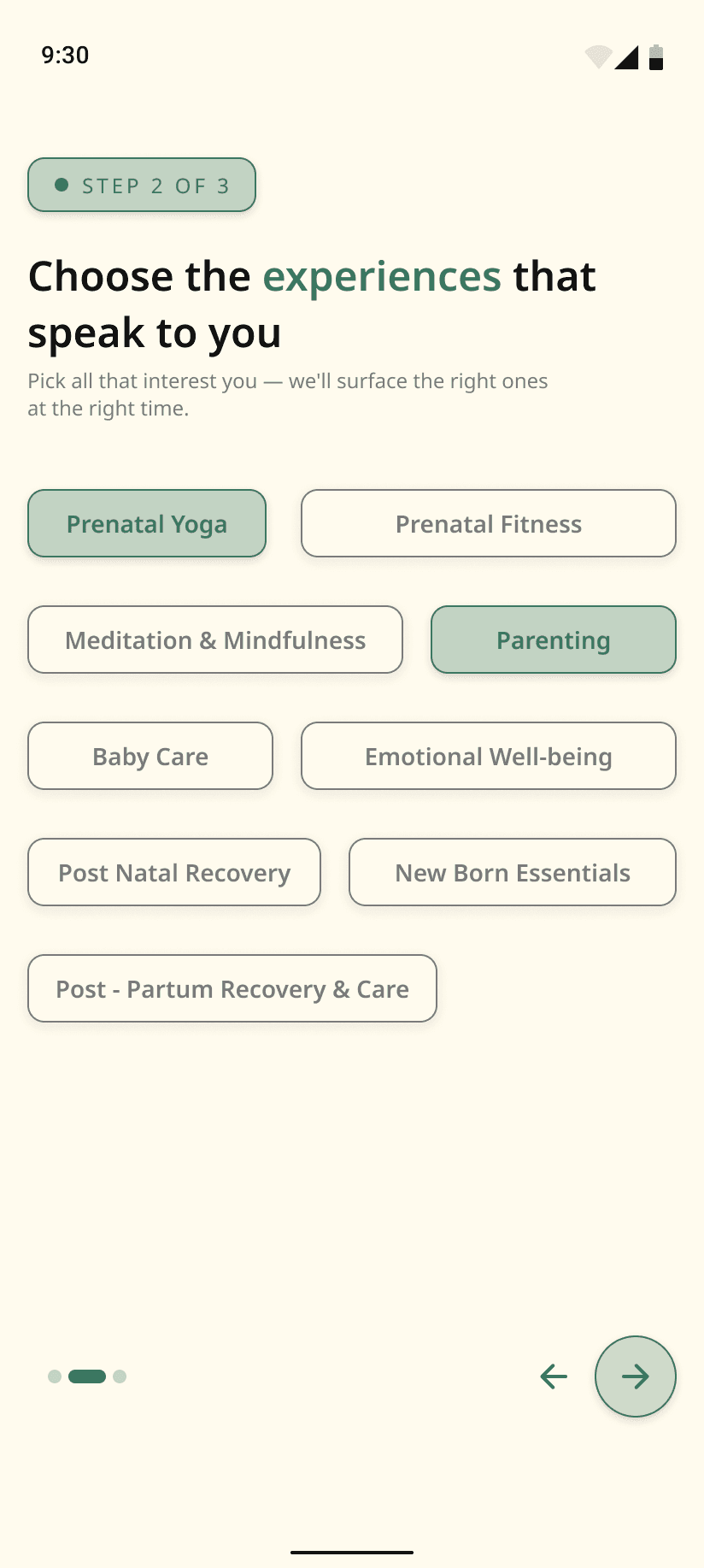
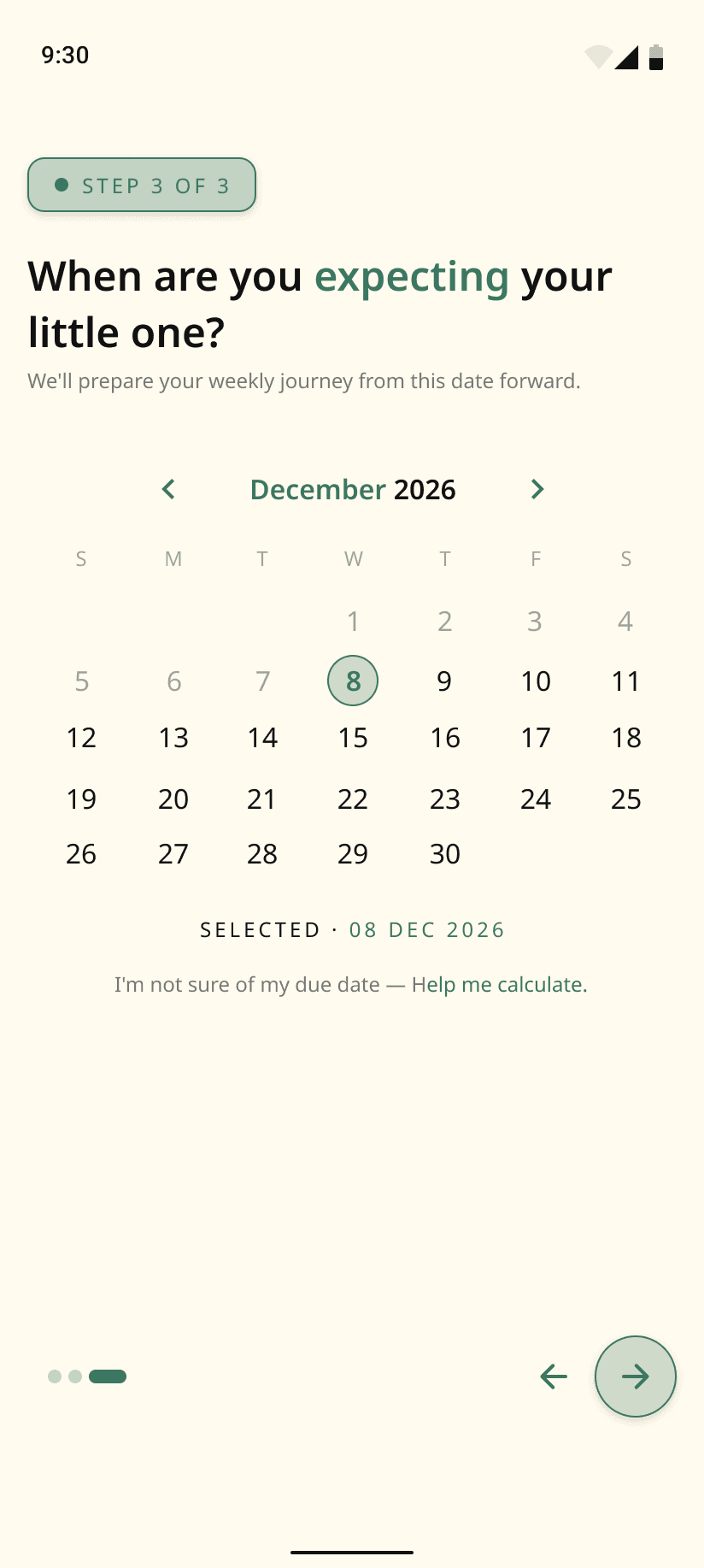
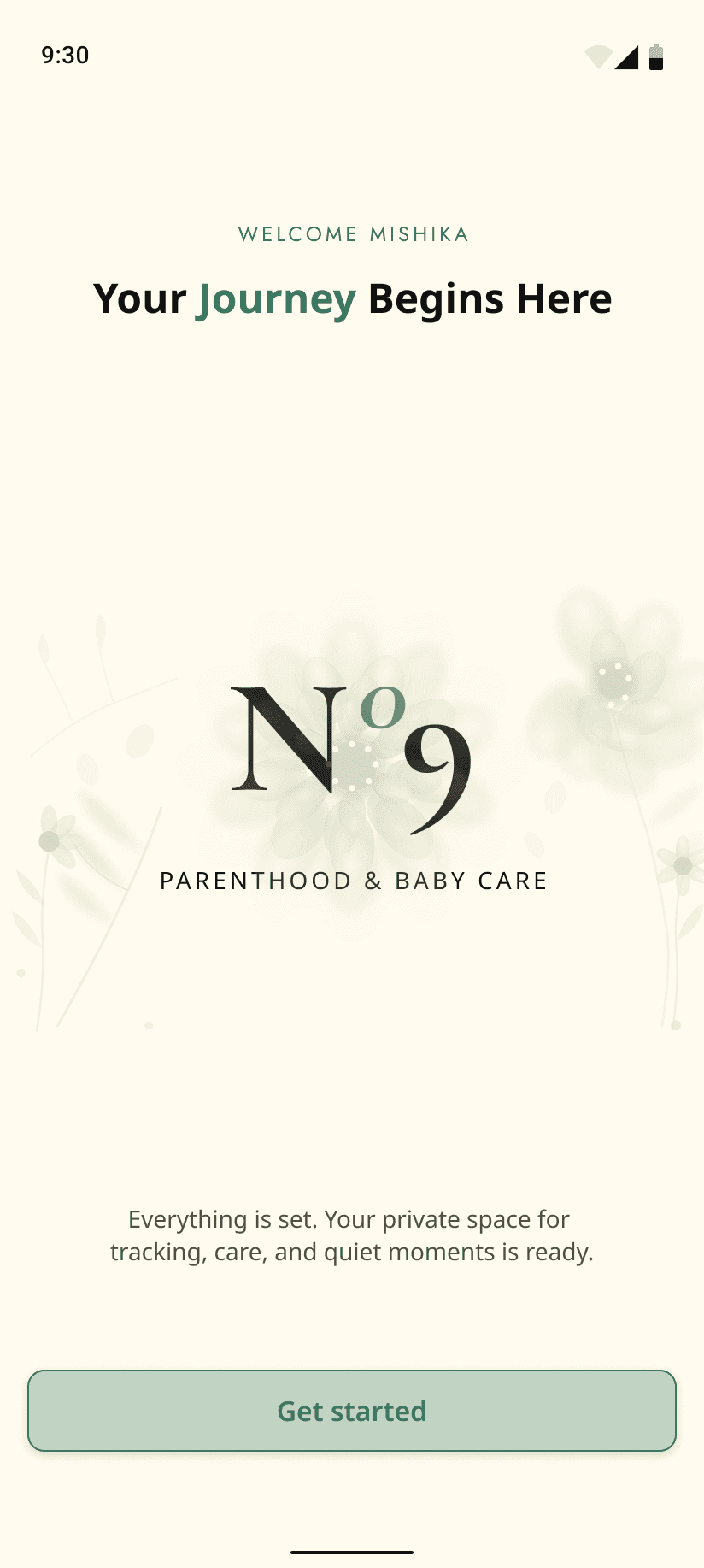
Personalize the experience around the user’s current stage.
Personalize the experience around the user’s current stage.
FLOW
FLOW
Login → Select Stage → Personalize → Get Started
Login → Select Stage → Personalize → Get Started
01.
ONBOARDING
CHOOSE STAGE



05
05
© 2026 Anush, All rights reserved.
© 2026 Anush, All rights reserved.
