
UI CASE STUDY · IOS · academic project
UI CASE STUDY · IOS · academic project
N
N
N
°
°
°
9
9
9
Where every beginning is sacred.
Where every beginning is sacred.
Where every beginning is sacred.
A luxury parenthood companion across pre-pregnancy, pregnancy, and post-natal care , personalised tracking, tender guidance, and a curated community.
A luxury parenthood companion across pre-pregnancy, pregnancy, and post-natal care , personalised tracking, tender guidance, and a curated community.
A luxury parenthood companion across
pre-pregnancy, pregnancy, and post-natal care,
personalised tracking, tender guidance,
and a curated community.
3
3
LIFE STAGES
15+
15+
quantitative analysis
4
4
CORE APP FLOWS


SECTION 05 / APP FLOW
Four flows - One clear path.
Four flows - One clear path.
Four flows - One clear path.
Each flow was designed around three questions: What is the user trying to achieve? Where are they entering from? And what should happen when they’re done? Keeping these principles consistent helped reduce friction while allowing each stage of N°9 to respond to its specific context.
Each flow was designed around three questions: What is the user trying to achieve? Where are they entering from? And what should happen when they’re done? Keeping these principles consistent helped reduce friction while allowing each stage of N°9 to respond to its specific context.
01
01
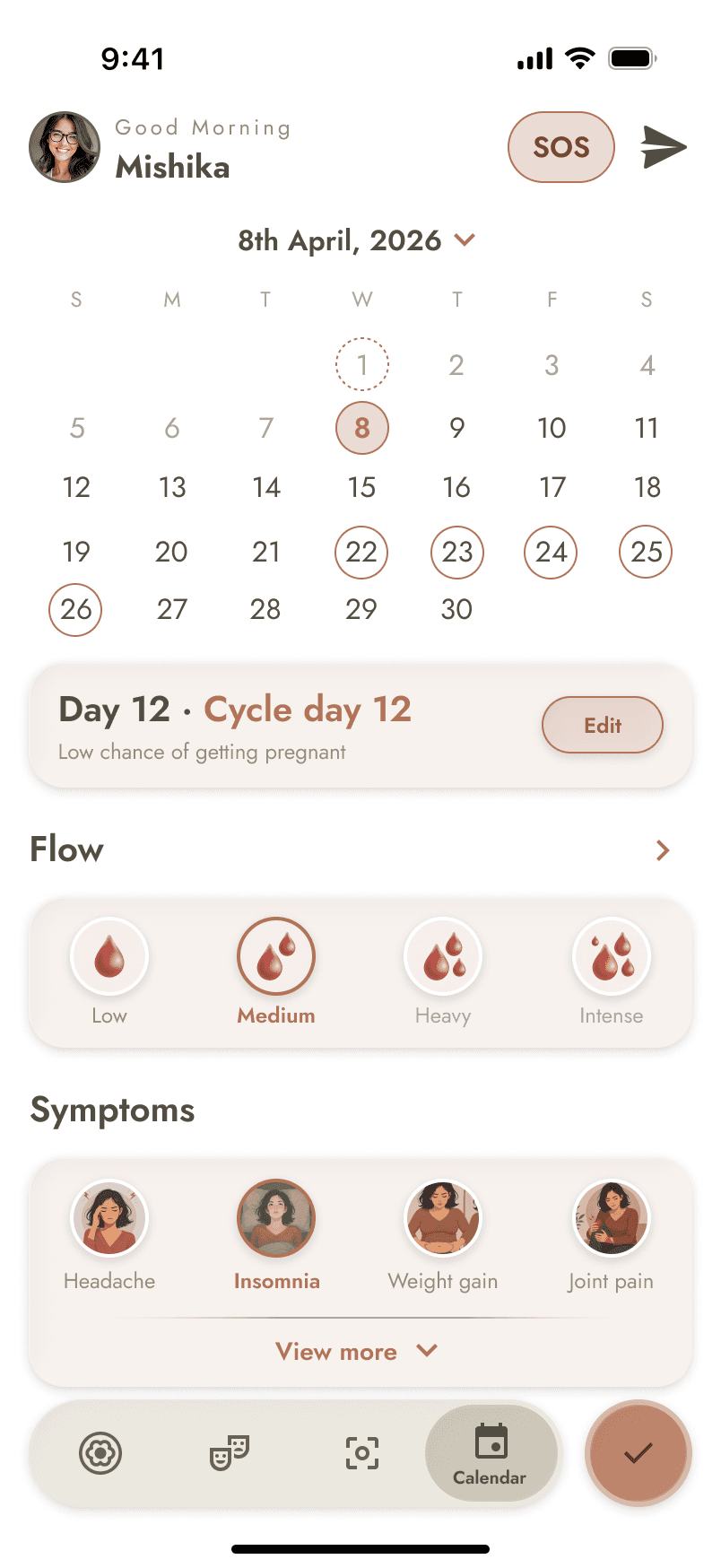
Log Period
Log Period
PRE-PREGNANCY
GOAL
GOAL
Capture the start of the user’s cycle and keep fertility predictions accurate
Capture the start of the user’s cycle and keep fertility predictions accurate
FLOW
FLOW
Home → Add → Log Period → Updated cycle & fertility window
Home → Add → Log Period → Updated cycle & fertility window
The flow turns a routine health log into an immediate update, keeping the user’s cycle context accurate without adding unnecessary steps.
The flow turns a routine health log into an immediate update, keeping the user’s cycle context accurate without adding unnecessary steps.



02
02
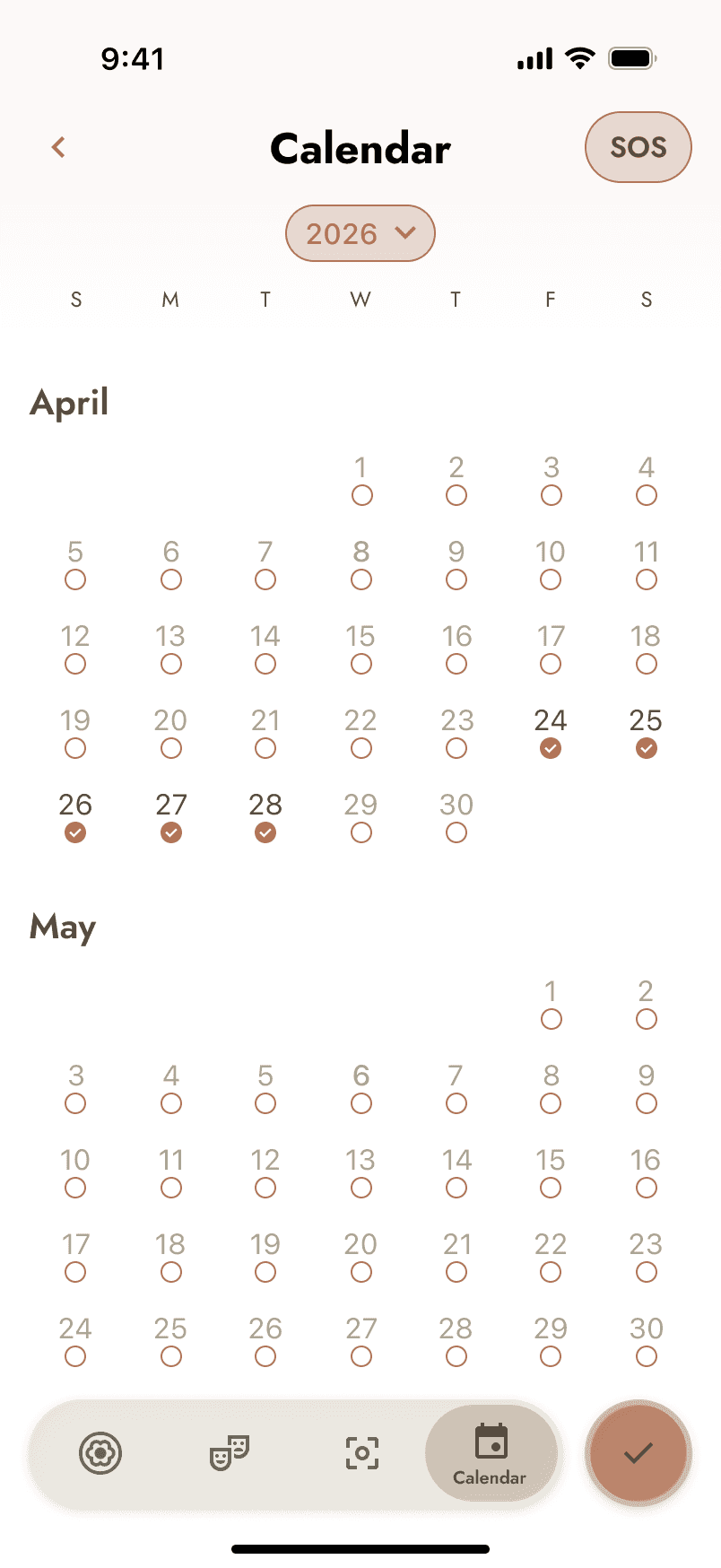
Log Symptoms
Log Symptoms
PREGNANCY
GOAL
GOAL
Capture how the user feels and build a clearer picture of changes throughout pregnancy.
Capture how the user feels and build a clearer picture of changes throughout pregnancy.
FLOW
FLOW
Pregnancy Home → Add → Log Symptoms → Saved to calendar & insights
Pregnancy Home → Add → Log Symptoms → Saved to calendar & insights
A simple daily log that keeps symptoms connected to the user’s ongoing pregnancy record.
A simple daily log that keeps symptoms connected to the user’s ongoing pregnancy record.


03
03
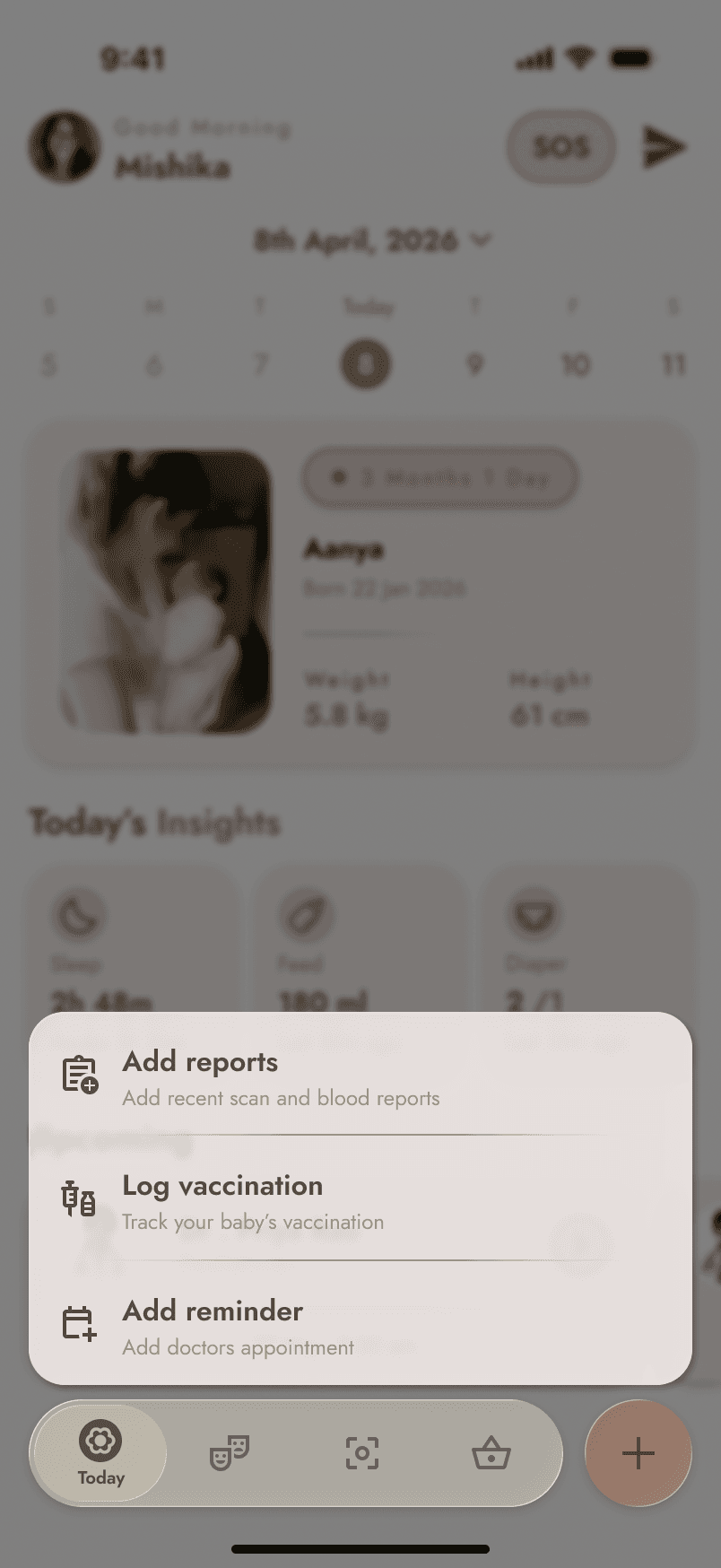
Log Vaccination
Log Vaccination
POST-NATAL
GOAL
GOAL
Record a vaccination once, while keeping the child’s care history up to date.
Record a vaccination once, while keeping the child’s care history up to date.
FLOW
FLOW
Post-natal home / Calendar → Add → Vaccination → Details → Save
Post-natal home / Calendar → Add → Vaccination → Details → Save
The flow keeps vaccination logging quick and contextual, using the existing care journey as the entry point and adding the record directly to the child’s health history.
The flow keeps vaccination logging quick and contextual, using the existing care journey as the entry point and adding the record directly to the child’s health history.



04
04
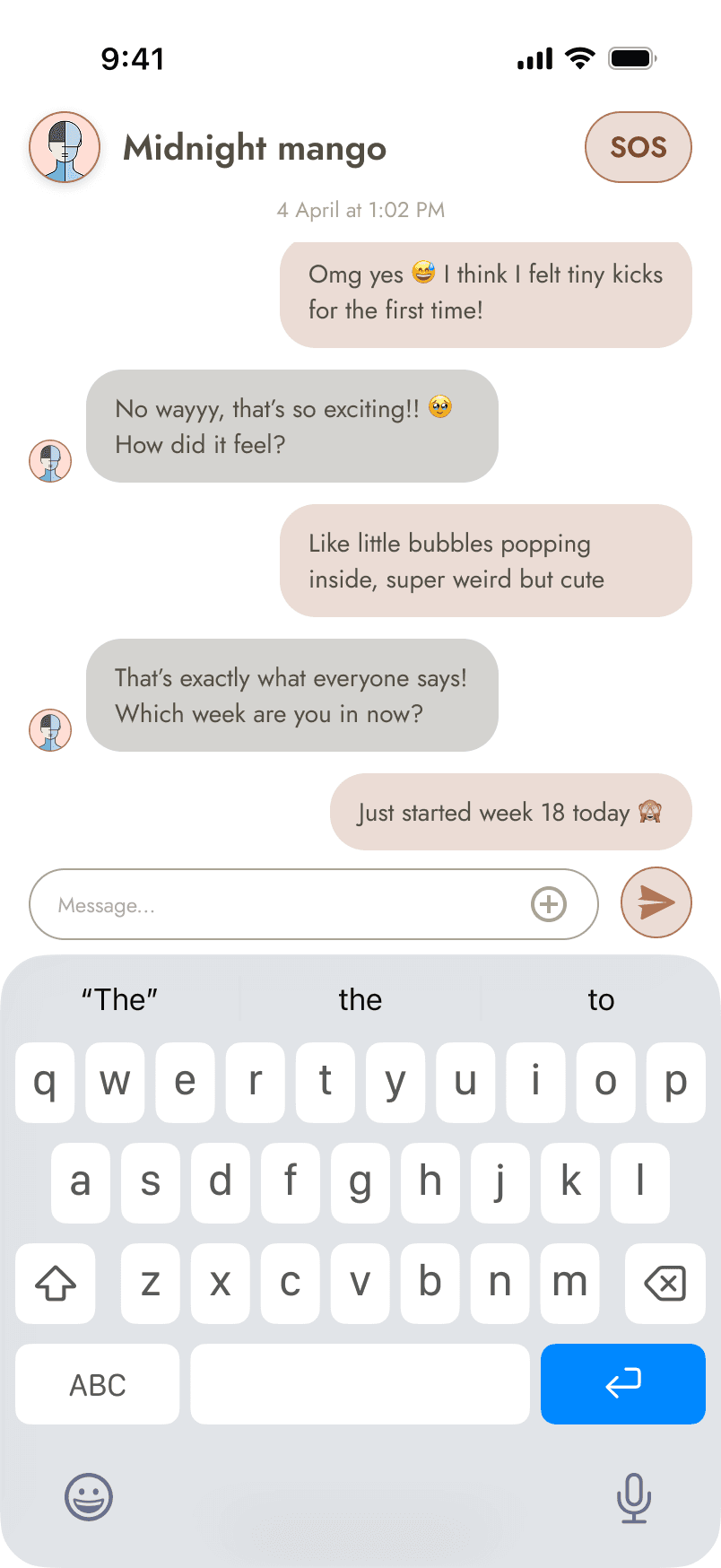
Send Message
Send Message
COMMUNITY / CARE
GOAL
Make it easy for the user to reach someone in their care circle when they need support.
Make it easy for the user to reach someone in their care circle when they need support.
FLOW
Messages → Compose → Send → Message sent
Messages → Compose → Send → Message sent
The flow keeps communication simple and immediate, taking the user from choosing a trusted contact to sending a message without unnecessary steps.
The flow keeps communication simple and immediate, taking the user from choosing a trusted contact to sending a message without unnecessary steps.


05
06
SECTION 06 / PROTOTYPE
The interactive N°9 prototype.
The interactive N°9 prototype.
The interactive N°9 prototype.
Live Figma prototype — tap through the onboarding pivot and the three
stage homes.
Live Figma prototype — tap through the onboarding pivot and the three
stage homes.
© 2026 Anush, All rights reserved.
© 2026 Anush, All rights reserved.
